Quick Look for KDE Dolphin
macOS-style file preview for Linux. Double-click to preview images, PDFs, videos, and audio — inline, with smooth animations and high-quality rendering.
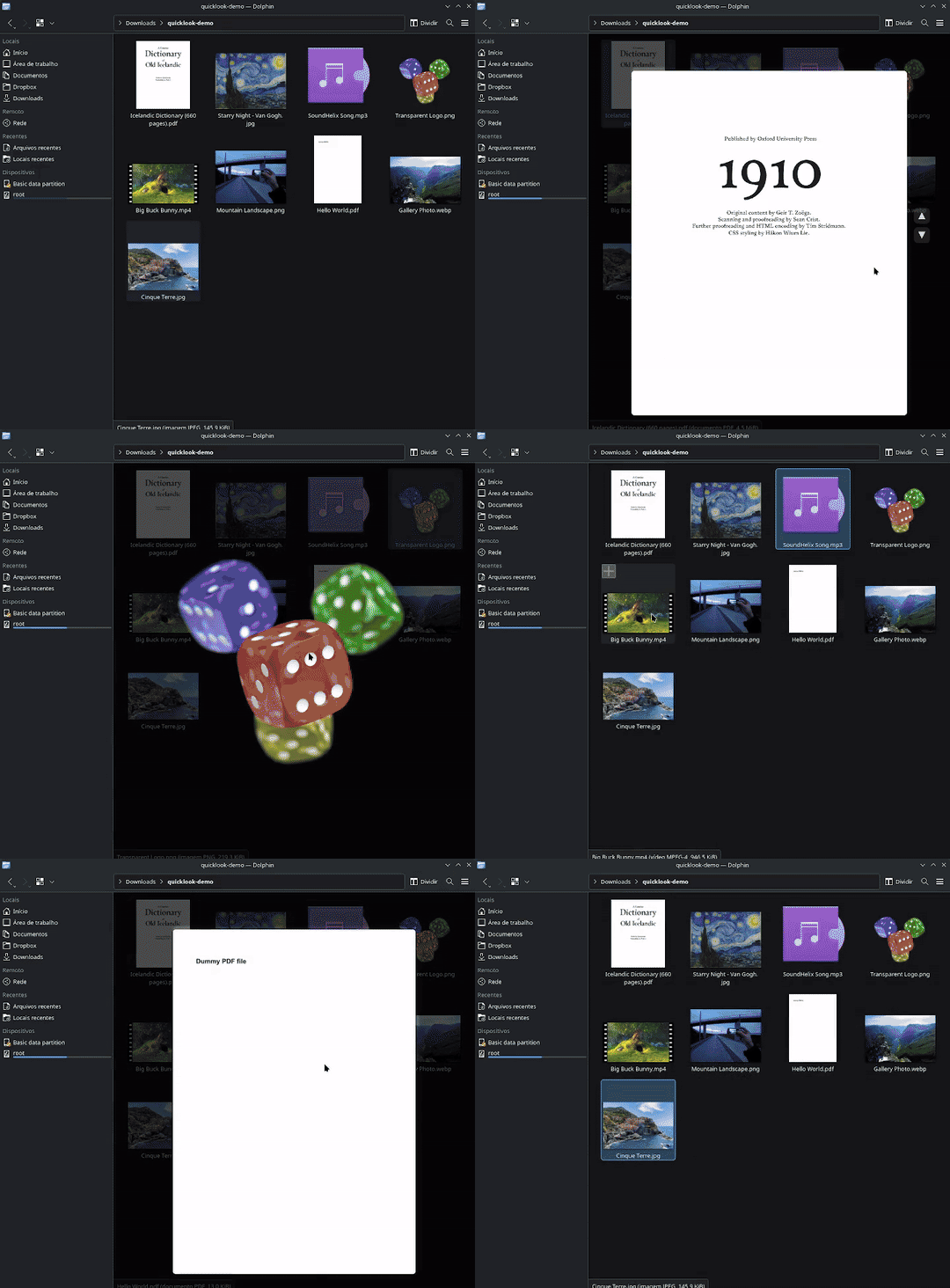
macOS-style file preview for Linux. Double-click to preview images, PDFs, videos, and audio — inline, with smooth animations and high-quality rendering.
Everything you need for fast file previews, built natively into Dolphin.
PNG, JPEG, WebP, SVG, AVIF, HEIF, JXL, and every format Qt supports. Transparent images composited with alpha. Large images capped at 4K to prevent OOM.
Multi-page navigation with arrow keys. Password-protected PDF support. LRU page cache, async loading, crossfade transitions, and hi-res re-render on zoom. Powered by Poppler.
MP4, MKV, WebM, AVI, MOV, and more play inline with looping. First frame extracted as thumbnail, playback starts after animation. Uses Qt Multimedia.
MP3, FLAC, OGG, WAV, and more. Rotating vinyl record with groove details and a real-time 48-bar radial FFT spectrum analyzer. Playback time displayed below.
Zero GPU dependency. Works on every Linux system including VMs, Wayland-only setups, and headless environments. Smooth crossfade transitions, rounded corners, and antialiased rendering.
DPI-aware text and content rendering with sharp output on 2x/3x displays. No blurry scaling, no workarounds.
Scroll-wheel zoom from 1x to 5x, centered on cursor position. Click-and-drag panning. Right-click to reset. Progressive hi-res re-render at each zoom level.
250ms cubic ease-out open animation. Fade-out on close. Frame-driven rendering synced to your monitor refresh rate (60Hz to 240Hz+). Crossfade on content switches.
Race condition protection on async renders. Stale result discard. Active-state checks. Enum-based video state machine. Null guards everywhere. No crashes on edge cases.
Fast, intuitive controls.
Three commands. Under 5 minutes on a modern machine.
# Clone and install
$ git clone https://github.com/pir0c0pter0/dolphin-quicklook.git
$ cd dolphin-quicklook
$ ./install.sh

# The script clones Dolphin source, applies the patch,
# builds it, and optionally installs system-wide.
Supports Arch, Fedora, Ubuntu/Debian, openSUSE, Void, and Gentoo. See the README for dependency details.
KLook was the previous Quick Look attempt for KDE. It has been dead since 2020.
| Feature | Dolphin Quick Look | KLook |
|---|---|---|
| Status | Active development | Dead since 2020 |
| Toolkit | Qt 6 / KDE Frameworks 6 | Qt 4 (EOL) |
| Integration | Native — built into Dolphin | Separate application (popup window) |
| Rendering | Pure QPainter — 100% compatible | Software only |
| Animations | Frame-driven, monitor-synced | Basic transitions |
| Image formats | All Qt-supported (incl. AVIF, HEIF, JXL) | Basic (PNG, JPEG) |
| PDF support | Multi-page, cache, password, async | No |
| Video support | Inline playback with looping | Basic playback |
| Audio visualization | Vinyl + real-time FFT spectrum | No |
| Zoom | 1x-5x, cursor-centered, pan | No |
| HiDPI | Full support | No |
| License | GPL-2.0-or-later | GPL-2.0 |
Give your file manager the Quick Look it deserves.